What should I check in Kakobuy QC photos?
Shape, stitching, print placement, labels, hardware, color, measurements and any visible damage.
Use QC photos to catch visible problems early, before you commit to international shipping.
QC is the warehouse photo stage where you can inspect the item you actually received, not the seller mockup. The goal is to catch obvious issues while the order is still easy to exchange or reject. If you are also worried about fit, keep the sizing guide open while you review the photo set.
Good QC review means checking the exact item, not trying to guess hidden quality from one front photo. Look at the full photo set and compare it with the listing and your own expectations. If you are still selecting an item, start with the Kakobuy Spreadsheet and open the exact product page before comparing its details. If you want a broader buying context, start with the Kakobuy review first. For the complete order sequence from live link to warehouse and parcel, follow the step-by-step Kakobuy buying guide.
For clothing, measurements matter as much as appearance; use the sizing guide to cross-check the numbers. For shoes, focus on shape, toe box, heel structure and side panel alignment. For accessories, check corners, stitching and hardware close-ups.
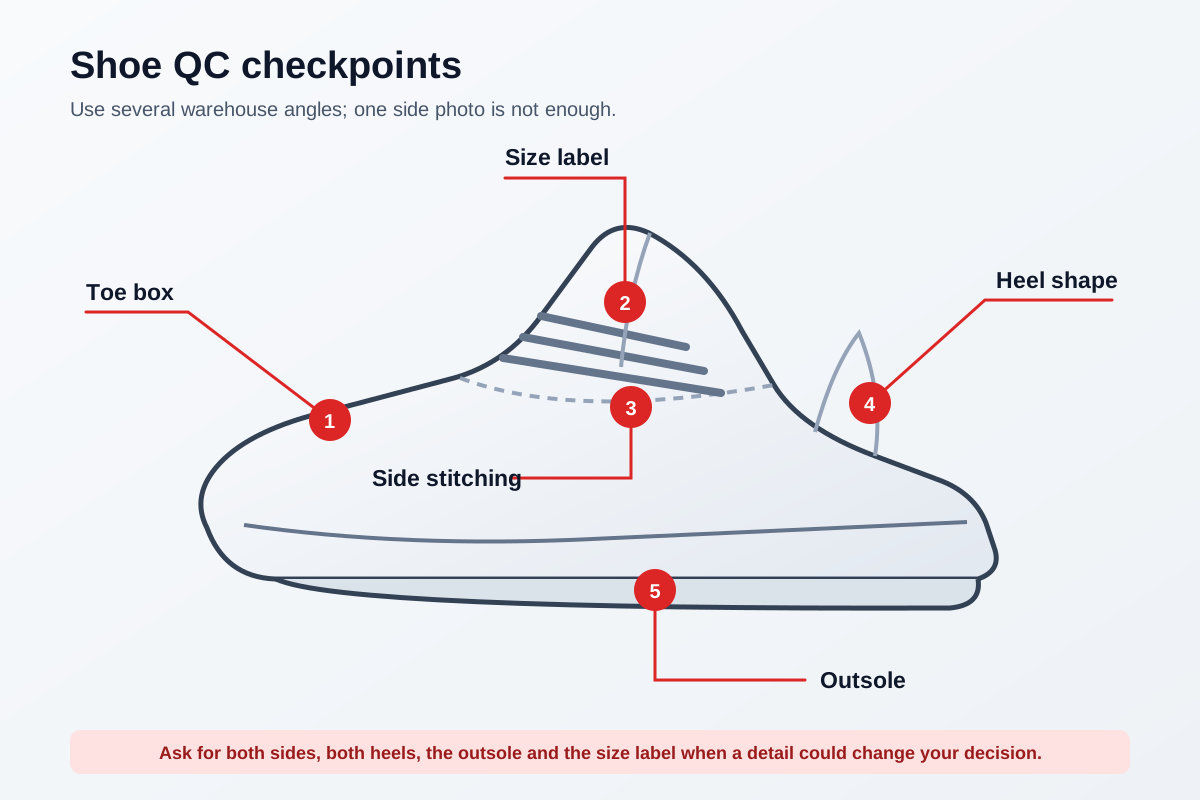
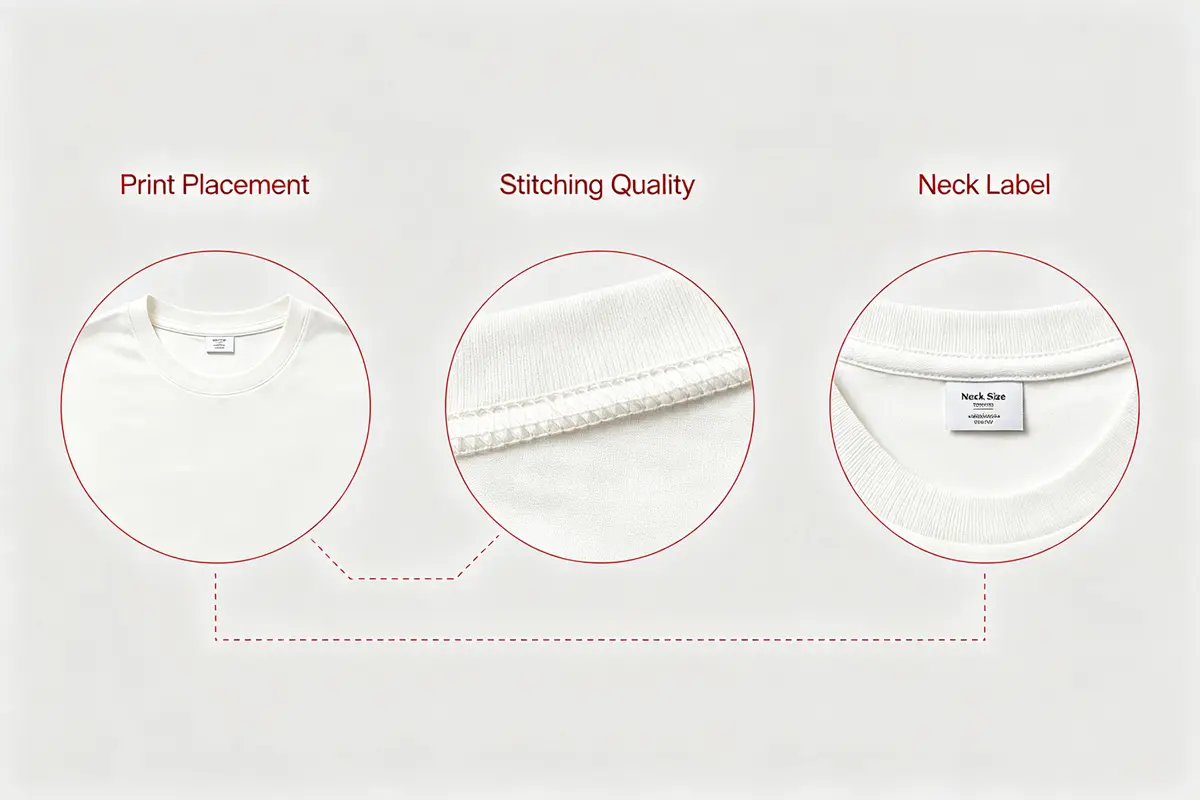
If the photo set shows a wrong size, clear damage, a missing piece or a major mismatch, do not approve too quickly. A small question now is cheaper than a parcel problem later.
If the issue is subtle, ask for a better angle or a measurement shot. That is usually enough to make a safer decision.
Hoodies and tees: check print placement, collar shape, sleeve length, tags and stitching. Shoes: check silhouette, sole shape, toe box and symmetry. Jerseys: check lettering, spacing and color. Bags and accessories: check hardware, corner shape and surface finish.
The useful habit is simple: compare the photo set against the product page, then compare the item against your own must-have details.
Shape, stitching, print placement, labels, hardware, color, measurements and any visible damage.
No. They only show the visible condition of the exact item that arrived in the warehouse.
Ask when size, color, label position or a small detail could change your decision.